
Company Event Ideas: Make Journey the Game
Oct 29, 20267 min readAlar
A Quiz People Play on Their Way to the Event
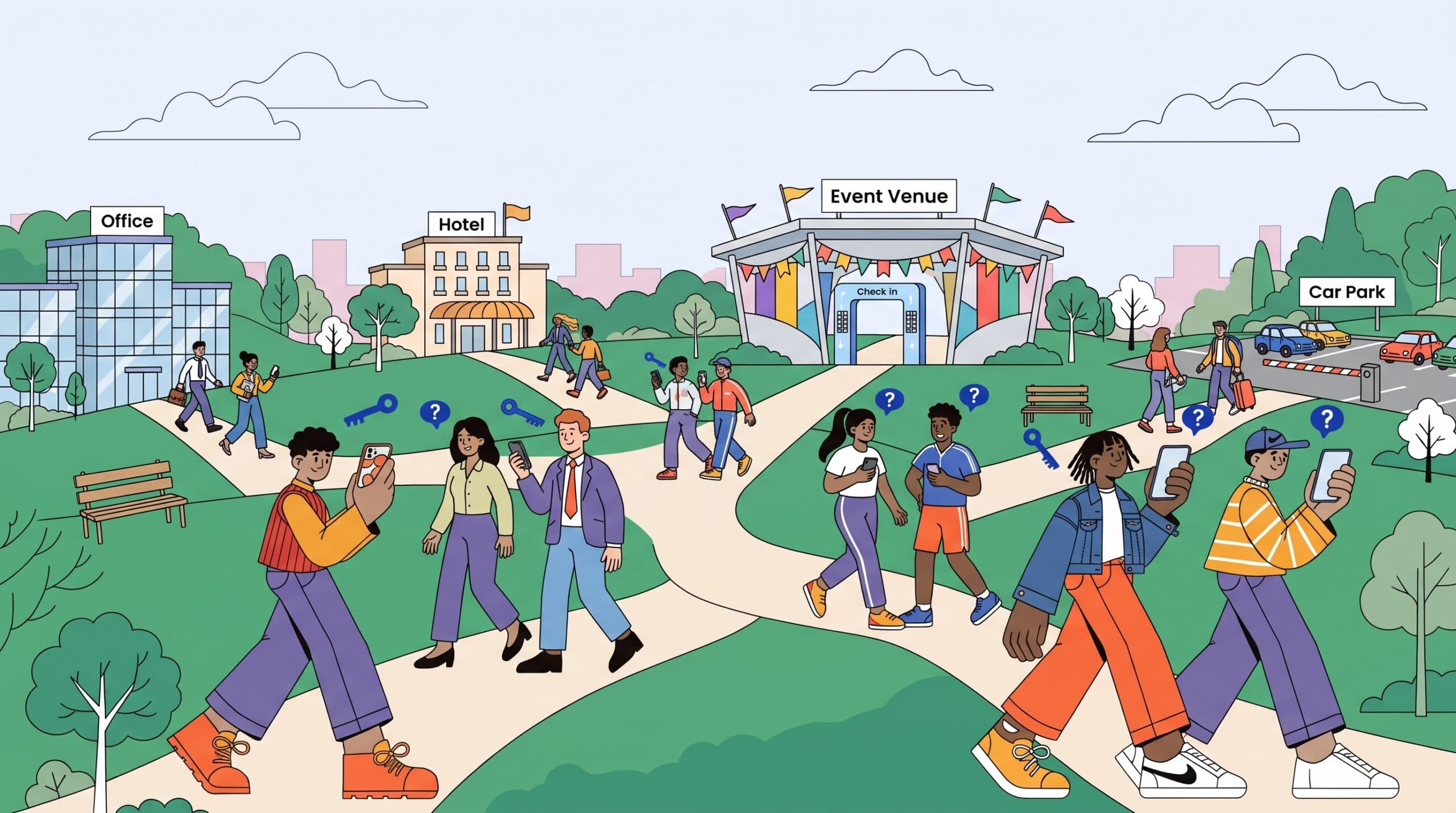
If your guests walk to the venue from different places, that walk can become a quiz. It’s one of the easier company event ideas to add. It uses time people already spend on foot, and it doesn’t need its own slot in the programme.
The game is Walk & Win. Every step a player takes earns keys, and keys unlock quiz questions. Each person plays on their own route, from the office, a hotel, home or the train station. Once everyone has arrived, you go through the results together.
It works as an optional extra for a company dinner, a conference, a training day, a team offsite or an away day. Anyone who’d rather just walk can simply walk.
How Walk & Win Works
The rule is short: walking earns keys, and if you stop, the game stops with you. Keys are what you spend to open a question.
Each question carries a difficulty label. An easy one is cheap to open. A hard one costs more keys, so you have to walk further to afford it, and it scores more when you get it right. Every key becomes a small choice: open something safe now, or keep walking and save up for a question that’s worth more.
Players can go alone, in pairs or as a team. A simple map shows where they are, and the game keeps working if the mobile signal drops along the way.
Nobody installs anything. Players join in their phone’s browser by scanning a QR code or typing a game code, with no app and no account. Only you, the host, need a Games for Crowds account.
Why It Suits the Journey to a Company Event
Walk & Win is easy to prepare and easy to run. It doesn’t depend on a particular place, although it does need people to move. It works best on the move, when you want a game with some substance that’s still exciting to play.
The walk to a venue fits that well. People are moving anyway, and the questions give them something to think about on the way. If the questions are about your company or the event, the content also points everyone towards the day ahead.
There’s a social side too. When colleagues walk in pairs or teams and work the answers out together, people who wouldn’t usually talk end up walking side by side. That’s why the game also works as a networking exercise. If meeting people is part of your aim, these networking games for conferences carry the same idea into the venue.
Setting It Up Step by Step
Setting up comes down to four decisions: the questions, the length, how the link reaches people, and whether they play alone or together. Make them in this order, then run through the game once yourself before the day.
Choose the Questions
Walk & Win comes with a 20-question starter set, so you can run it without writing anything. To make it about your event, give it facts or topics, and AI writes the questions and the answer options in your language.
Useful material for a company event: the day’s agenda, the company’s history, or the place you’re all heading to. The facts you’d otherwise put on a welcome slide work well here. Our article on how AI prepares game content explains that part in more detail.
Match the Game Length to the Walk
You set the game’s length yourself. Work it out from two things: how far people are coming and how many questions there are. The game page suggests planning about 60 minutes for a full game, so a shorter walk to the venue calls for a shorter setting.
Base it on the longer walks rather than the shortest one. Anyone who arrives with time to spare can keep playing outside (more on that below). Don’t stretch it too far, though, because a very long game gets boring.
Send the Game Link Before People Set Off
If everyone starts from their own place, they need the game link before they leave. Send it in the same message as the invite or the day’s agenda, so it sits where people already look for event details.
Say plainly that playing is optional, how long the game runs, and that you’ll look at the results together at the venue. If this is the first game you’ve hosted, how to run your first team game has practical tips on introducing it.
Decide on Solo, Pairs or Teams
People coming from the same place, such as the same office or hotel, can walk as a pair or a team, while those travelling on their own play solo. Pairs and teams also turn the walk into a get-to-know-you exercise, since the answers have to be worked out together.
Starting Separately or Starting Together
You can run Walk & Win either way. With separate starts, each person begins wherever they are, which suits guests arriving from different directions. In that case the link has to go out in advance.
With a shared start, everyone begins from one set point. That suits a group that’s already together before the event, such as colleagues staying at the same hotel, or a team day where people set off from one place and come back to it. The map keeps people oriented either way.
For a group heading out together, these scavenger hunt ideas that don’t need hours of setup cover more low-prep outdoor formats.
What Happens When Everyone Arrives
The results are looked at together afterwards, once people are at the venue.
If someone arrives while game time is still running, they can keep walking and earning keys, even if that means going back and forth outside or around the building. If you didn’t set a game time, you end it yourself: press the game end button in the host view, then go through the results.
From there, the event carries on with whatever’s planned on-site. If you’re still choosing what to run inside, team building games by occasion sorts the options by type of event. And for what helps a group connect once it’s in one place, here’s what we learned from running an event ourselves.
Where It Works and Where It Doesn’t
Walk & Win is made for outside. GPS can’t measure walking reliably inside a building, so the game doesn’t work well indoors. Plan it for routes in the open air.
Keep the length sensible. A very long game gets boring, and a shorter one that ends on time is the better choice for a walk to an event.
Not everyone will arrive on foot, and that’s fine. Playing is optional, so people who didn’t play are still there when the results are shared at the venue.
What to Try Next
Guests walking from different places: Walk & Win with separate starts. Send the link with the invite and let each person, pair or team follow their own route.
A group setting off together: Walk & Win from one set point. A simple map shows everyone where they are, and the game keeps going if the signal drops.
Questions about your company or event: give Walk & Win your facts or topics, and AI writes the questions and answer options. Or start with the 20-question starter set as it is.
Open Walk & Win at https://gamesforcrowds.com/games/walk-and-win, add a few questions about your event and send the link out with the invite.
FAQ
Do participants need to download an app to play Walk & Win?
No. Players open the game in their phone’s browser by scanning a QR code or entering a game code, and they don’t need an account either. Only the host needs a Games for Crowds account to set up and run the game.